Instructions on sharing routes from the RideWithGps (RWGPS) App and the GPX Player app.
You can find the RWGPS App here on Google Play
General Instructions
From RWGPS App: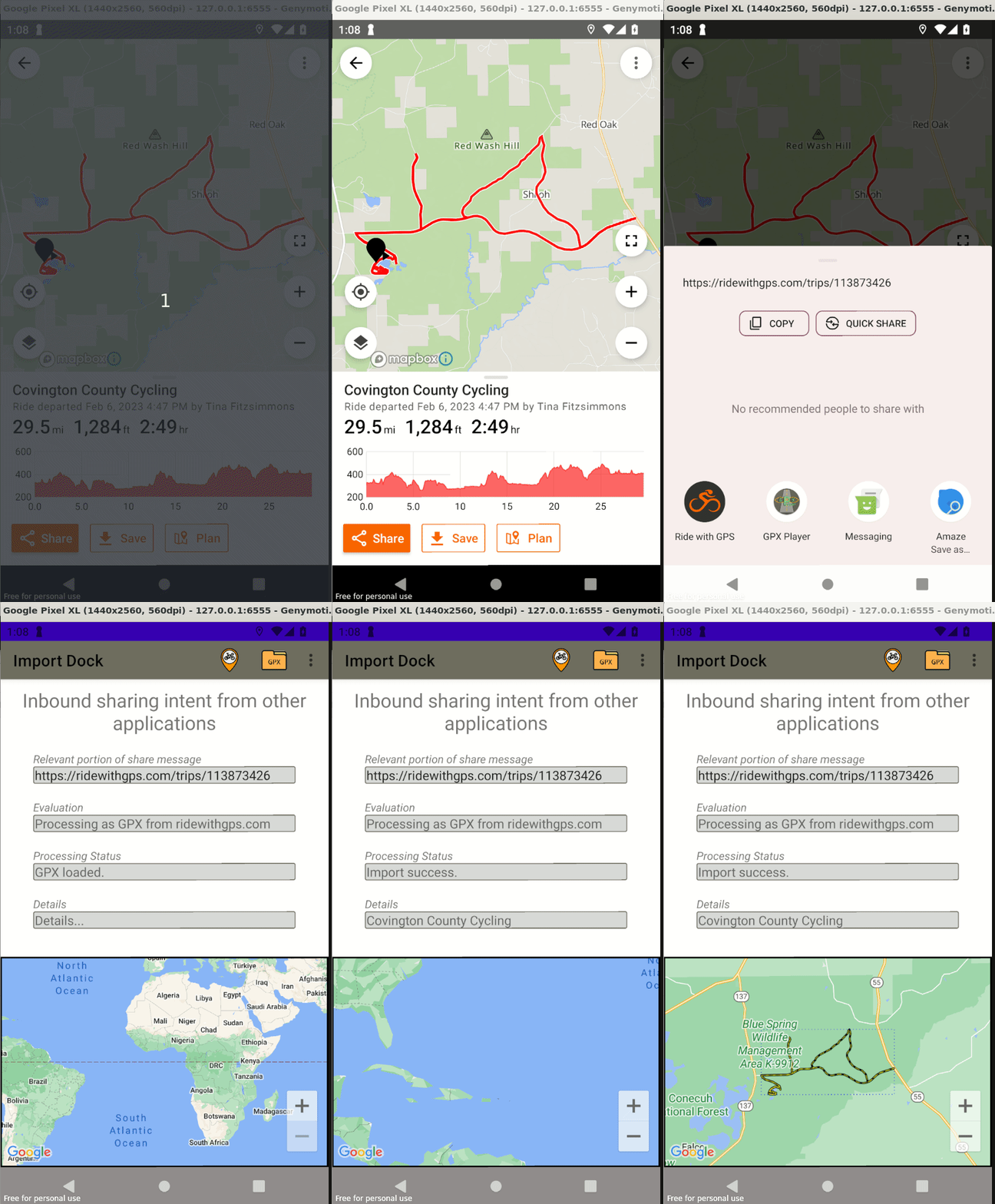
- Explore routes
- Zoom in and locate a route start icon.
- Click on start icon
- Click on route card (at bottom) to bring up route details.
- Locate 'Share' button on bottom and click.
- Locate GPX Player button in list of apps to share with. (Could be in the 'More' list.)
- GPX Player processes share message and begins processing - the Import Dock screen is displayed
- Prompt is displayed with ride name and asking if it should be imported. Click 'OK'.
- Verify 'Import success.' in Processing Status.
- Verify map is updated with route.
- Done. Route is now saved in GPX Player and available to play.